BabyLight - Baby Night Light
- 4.6
- Rating
- 100.00K
- Installs
- Free
- Price

 Analysis by App-foxy
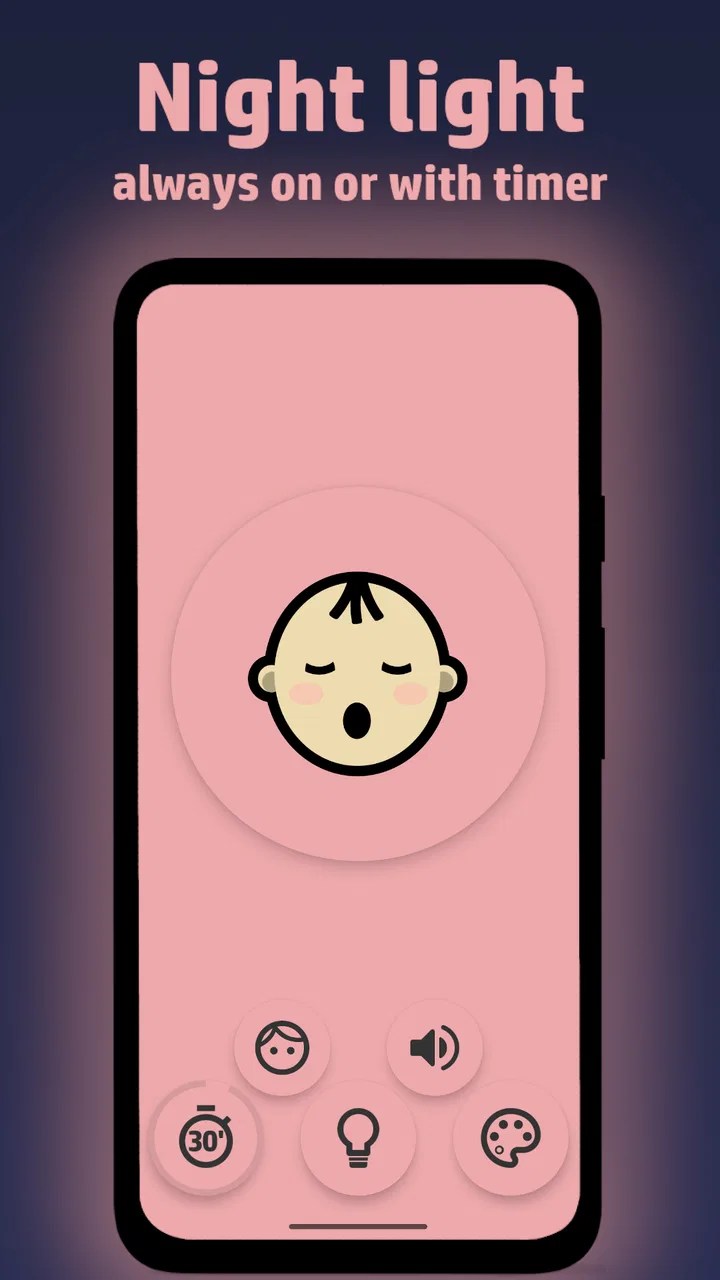
I spent time with BabyLight as a simple bedtime companion, and its appeal is easy to understand: it turns an Android phone or tablet into a colorful night light while adding ambient sounds. That makes it less like a full parenting toolkit and more like a focused helper for the small, awkward moments around sleep, nighttime feeding, or a child waking before sunrise.
What I like most is the straightforward idea. Many parents already keep a spare phone or tablet nearby, so using that screen for a gentle glow can be more convenient than searching for a separate lamp. The app comes from AethiumApps and sits in the parenting category, with a 4.6 average from around 1.2 thousand ratings. Those figures suggest that the basic concept is working for a sizeable group of families, although a good rating should not be mistaken for a guarantee that every child will respond well to the same colors or sounds.
How BabyLight fits into a real bedtime routine
In practice, I would use it as a temporary, low-effort light rather than as the main lighting system in a nursery. Imagine settling a baby after a late feeding: a bright ceiling light can make the room feel suddenly active, while a colorful screen placed well away from the crib can provide enough visibility to move safely and check what is happening. The ambient sound option can add a steady background layer, which may be useful when the room is otherwise unusually quiet.
You May Also Like

 Blood Strike: 2.5 Anniversary
Blood Strike’s Loadouts Turn Every Drop Into a Tactical Gamble
A close look at Blood Strike’s custom loadouts: how fast access to signature weapons reshapes its battle royale rhythm, rewards preparation, and narrows the gap between fights.

 Pandora - Music & Podcasts
Pandora’s Music Is Easy to Start, but Harder to Recover
Pandora’s strength is its low-effort path from a seed to a station. Its weak spot is how much confidence it asks you to place in connection, setup, and quiet recovery.

 8 Ball Pool
 Is Built on Rivalries, Rematches, and Routine
A close look at the rivalries, rematches, shared routines, and unanswered safety questions that turn a quick pool match into a persistent mobile community.

 Samsung Music
’s Quiet Strength Is Playing What You Already Own
Its reach comes less from spectacle than from dependable access to a personal library. That simplicity is both the app’s strongest retention engine and its ceiling.

 AccuWeather: Weather Radar
AccuWeather Review: A Quick, Clear Forecast for Everyday Decisions
For everyday plans, the best forecast is the one you can understand quickly. AccuWeather makes rain timing, radar, and local conditions easy to act on, with a few trade-offs.

 Hill Climb Racing
Why Hill Climb Racing Still Turns Crashes Into One More Run
A tiny car, a bumpy hill and one more upgrade: Hill Climb Racing keeps resurfacing because its simple chaos makes every near-miss feel personal.
More From Our News Desk



That scenario also shows the app’s limits. A phone or tablet is still an electronic device with a bright display, notifications, battery concerns, and the temptation to pick it up for unrelated reasons. BabyLight can make the device feel calmer, but it does not turn the hardware into a dedicated nursery lamp. I would prepare the device before bedtime, silence interruptions, lower the brightness to a comfortable level, and keep it outside the child’s reach.
The app is free to install, which matters here because its job is narrow. You can try the basic idea without committing to a separate purchase or paying before discovering whether your child tolerates the light and sound. There are also in-app purchases priced from $0.49 to $2.49 per item. I see that as a reasonable structure for optional extras, but I would judge those purchases by whether they genuinely improve your routine rather than assuming every available item is necessary.
That distinction is important when comparing it with a physical night light. A dedicated lamp costs money upfront, but it is designed for one purpose and does not bring phone distractions into the room. BabyLight has the opposite advantage: if you already own a suitable device, the initial cost is free and the setup is immediate. The better value depends on whether convenience matters more to you than having a permanent, purpose-built object.
A useful tool for short nighttime tasks
The strongest use case is not leaving a screen running indefinitely. I found the idea more practical for brief tasks: checking a changing area, finding a dropped pacifier, walking across a dark room, or creating a softer atmosphere while rocking a child. A tablet can be especially useful when a phone is needed for calls or remains in another room, though a larger screen may also produce more light than you want.
One non-obvious advantage is flexibility. A physical night light usually gives you one fixed position and one familiar lighting pattern. With a phone or tablet, you can move the light temporarily to where it is needed, then remove the device afterward. That can help in a guest room, during travel, or when grandparents are caring for a baby and do not have the usual nursery equipment available.
There is a trade-off in that flexibility. A portable device is easy to place too close to the crib, on an unstable surface, or somewhere a child can eventually reach. I would treat safe placement as part of using the app, not as an afterthought. The screen should illuminate the room without becoming an object for the baby to grab, chew, or stare at from close range.
The ambient sounds are another reason to try the app, but I would introduce them carefully. Some babies relax with consistent background noise, while others become more alert when a new sound appears. Start at a low level and observe the child instead of assuming that “soothing” audio will work automatically. If your child already sleeps well in silence, adding sound may solve a problem you do not have and could make the routine more complicated.
Where the free access delivers real value
For a free parenting app, the value is clearest when you need something immediately. A new parent may not want to order another item just to test whether a dim glow helps during overnight care. BabyLight lets an existing Android device serve that short-term purpose, and the low barrier makes experimentation less stressful.
It can also be useful as a backup. A household may have a nursery lamp, but its batteries can run out, the lamp may be packed away, or the family may spend a night somewhere else. In those moments, having a familiar app ready can be more useful than its feature list suggests. I would not buy a tablet solely for this purpose, but I can see why someone with an unused device would appreciate the option.
The app is marked for Everyone, which makes its audience broad, but that label should not replace parental judgement. The intended user is the adult setting up the device, not a child independently handling a phone. The practical safety questions are about placement, brightness, heat, charging, and whether the device can be reached. Those are hardware and household considerations rather than problems the app can solve for you.
Its current version is 8.1, and it supports Android starting with version 6.0. That gives it a useful range for older spare devices, which is one of the more convincing reasons to consider it. A phone that is no longer comfortable for daily use may still be perfectly adequate for a stationary bedside role, provided its battery and screen remain in good condition.
Trade-offs compared with lamps and sound machines
A dedicated baby night light usually wins on simplicity. You press a button, choose a setting, and leave the phone elsewhere. It may also be easier to clean and easier to keep permanently positioned. BabyLight wins when you want to avoid another purchase, need a temporary solution, or want to combine a visual glow with ambient sounds from one familiar device.
A standalone sound machine is a closer comparison for the audio side, but it is still more specialized. Such a device may be better for families who want sound running for long periods without using a screen. BabyLight is more attractive when the light itself is the main need and the sound is an occasional addition. I would not choose it as a replacement for dedicated audio equipment if continuous sound is central to your child’s sleep routine.
The phone-based approach also creates a small but real routine problem: the device must be prepared. Notifications, incoming calls, automatic screen changes, or a low battery can interrupt the calm atmosphere. Before using it overnight, I would switch on the device’s sleep-friendly settings, disconnect unnecessary distractions, and test the brightness from the position where the child will actually sleep. This preparation is a practical step that a physical lamp does not require.
Another trade-off is emotional rather than technical. Some parents prefer not to place screens in a baby’s sleep environment at all. If that is your position, a non-screen night light is the better choice, even if BabyLight is free. The app’s convenience should not override a household rule that helps everyone feel comfortable at bedtime.
Small workflows that make it more useful
I would create a simple “night mode” routine around the app rather than opening it only when something goes wrong. Keep the chosen device charged in a safe location, launch the app before the room becomes dark, and confirm that the color is gentle enough for nighttime care. Doing this in advance avoids fumbling with a bright screen while holding a baby.
A second useful workflow is to separate the light’s job from the sound’s job. Try the colorful display alone for several nights, then test the ambient sound separately at a low level. That gives you a better sense of what your child actually responds to. If both are introduced at once, it becomes harder to tell whether the benefit comes from the glow, the audio, or simply the calmer behavior of the adult using the device.
For travel, I would use a familiar spare phone rather than the parent’s primary phone whenever possible. That keeps calls, messages, and work notifications away from the sleep routine. It also means the device can remain in the room without forcing you to choose between a useful light and access to your main phone. This is a modest distinction, but it makes the app more practical for families who move between rooms or homes.
For nighttime feeding, place the device where it lights the adult’s hands and the immediate area without shining directly toward the baby’s face. The goal is enough visibility for safe care, not maximum color or brightness. If the display feels distracting, the app may be better used as a short setup aid than as a lamp that stays active through the entire night.
Who should use it and who should skip it
I think BabyLight is a good fit for parents who already have an older Android phone or tablet, want to avoid buying another accessory, and need a flexible light for occasional nighttime tasks. It is also appealing for families who travel, share care between rooms, or want to test whether ambient sound has a place in their routine before investing in a dedicated product.
It is less suitable for someone looking for a fully automatic nursery system. If you want a lamp with physical controls, a permanent position, and no screen-related distractions, a dedicated night light will probably feel better. Likewise, if your main goal is long-running background audio, a sound machine is the more focused tool. BabyLight offers a combination of functions, but combination does not always equal specialization.
I would also skip it if the only available device has a damaged battery, unreliable charging, or a display that becomes uncomfortably hot. The app cannot improve the condition of old hardware. In that situation, the free installation is not the whole cost: you are accepting the responsibility of keeping an aging electronic device in a child’s room.
The developer, AethiumApps, has kept the concept focused enough that it does not feel like a general parenting dashboard. That focus is a strength for someone who wants a quick bedside utility, though it may feel limited to users expecting schedules, tracking, reminders, or broader family tools. The app’s category tells you what kind of problem it is trying to address: a small part of parenting, handled simply.
My verdict on the value
BabyLight is worth trying because the entry point is free and the use case is easy to understand. You can test the light, try the ambient sounds, and decide whether they fit your child’s routine without first purchasing a dedicated product. The optional in-app purchases may add value for some users, but I would treat them as extras rather than part of the basic reason to install it.
Its best value comes from reuse. If an older Android device is already sitting in a drawer, the app can give it a practical second life as a temporary bedtime aid. If you need to buy a new device specifically for it, the calculation changes and a purpose-built lamp may be the more sensible purchase. That is the central trade-off: free software is helpful, but it still depends on hardware you already own.
My recommendation is positive with sensible boundaries. I would install it for travel, occasional overnight care, or a low-cost experiment with colored light and ambient sounds. I would not rely on it as the only nursery lighting solution, place a reachable device beside a crib, or choose it over a dedicated product when screen-free simplicity is the priority.
Overall, the app succeeds because it solves a small problem without demanding much commitment. Its 100K-plus installs show that the idea has reached a substantial audience, while its free access makes trying it straightforward. For parents with a spare Android device, BabyLight is a practical experiment rather than an essential purchase: useful in the right routine, replaceable when safety, permanence, or specialized controls matter more.
FAQs for BabyLight - Baby Night Light
01What is BabyLight - Baby Night Light and how does it work?
BabyLight - Baby Night Light is an app designed to help soothe babies to sleep by turning your device into a gentle night light. It offers various calming colors and brightness settings to create a peaceful sleeping environment. The app can also play soothing sounds or lullabies, which can be customized to suit your baby’s preferences.
02Is BabyLight - Baby Night Light safe to use around infants?
Yes, BabyLight - Baby Night Light is designed with safety in mind. It uses soft, ambient lighting to ensure a calming atmosphere without being too bright for a baby's sensitive eyes. However, it's important to keep your device at a safe distance and ensure it's securely placed to avoid any accidents.
03Can I customize the settings in BabyLight - Baby Night Light?
Absolutely, the app allows for extensive customization. You can choose from a range of colors and adjust the brightness to suit your baby's needs. Additionally, the app includes a variety of soothing sounds and lullabies, which you can personalize by setting timers or creating playlists to help your baby drift off to sleep.
04Does BabyLight - Baby Night Light consume a lot of battery power?
While the app is designed to be efficient, using your device's screen as a night light can consume battery power. To minimize this, you can adjust the brightness to a lower setting or use the timer feature to automatically turn off the light after a set period. It's also a good idea to connect your device to a charger if using the app for extended periods.
05Is BabyLight - Baby Night Light available for both Android and iOS devices?
Yes, BabyLight - Baby Night Light is available for both Android and iOS platforms. You can download it from the Google Play Store for Android devices and the Apple App Store for iOS devices. Ensure your device meets the app's system requirements for optimal performance.
Pros
- Intuitive interface for easy use.
- Customizable light colors and patterns.
- Soothing sounds to help baby sleep.
- Timer feature for auto-shutoff.
- Low energy consumption for prolonged use.
Cons
- Limited free features in basic version.
- Requires device proximity for control.
- Occasional app crashes reported.
- Ads can interrupt the experience.
- Sound library could be more varied.

BabyLight - Baby Night Light
Gallery